
Patient Appointment Reminders
This functionality is only available on some enterprise plans
The BOS offers the ability to send appointment reminders to your patients with a set of configurable options as shown below. If there is a setting your company needs that isn't displayed here then please contact support as we may be able to add it.
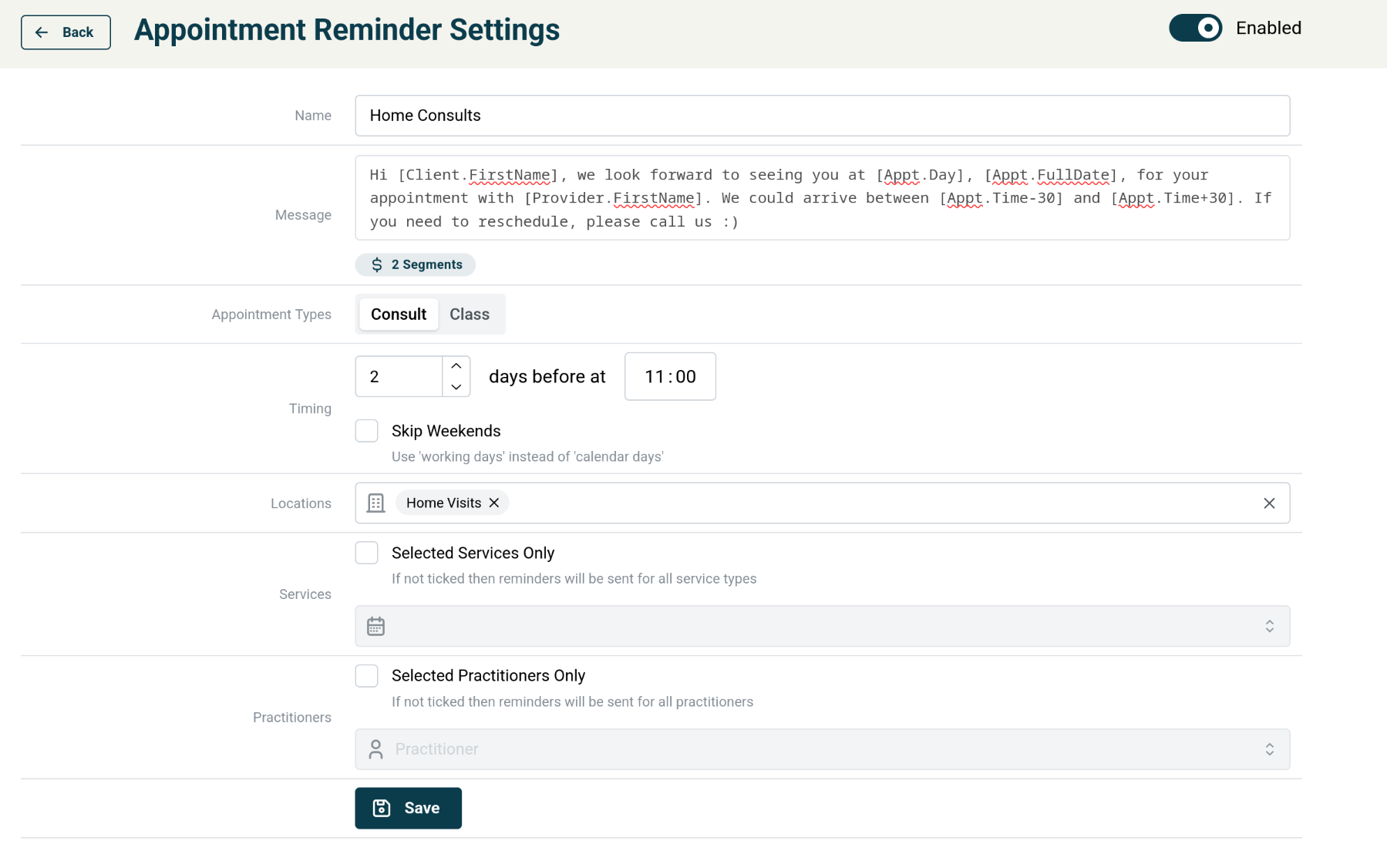
The system will default to sending notifications for all appointments at selected locations. You can optionally choose to filter to only do certain practitioners or services. Note that if you add any new practitioners or services and have this ticked you will need to manually add them here after creating the practitioner/service in your PMS.
How it works / things that can go wrong
- At the specified time (EG: 2 days before at 11:00am) The BOS will find all matching attendances based on any locations, services, practitioners and appointment types.
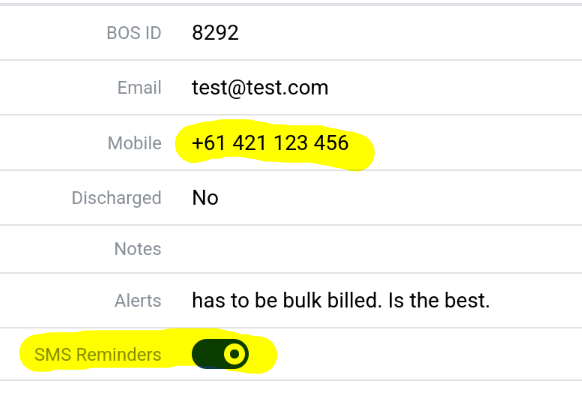
If the attendance isn't in The BOS at this time then no reminder will be sent. EG: if the attendance is added the day before the attendance when it's a 2 day reminder or if the attendance was added before the reminder send but The BOS hasn't been refreshed. - For all matching attendances: check that the patient has a mobile number entered, that it is a valid mobile number (IE: not a landline) and appointment reminders is turned on for that patient. You can check this by looking up the patients profile in The BOS.
If the mobile number field is blank or not a valid mobile number then no reminder will be sent. If SMS reminders are turned off for that patient then no reminder will be sent.
How charges are calculated
Charges are per segment which is roughly 160 characters. A segment counter is included on the settings page but should only be used as a guide because it isn't counting the _actual_ message. For example: if your client has a really long name then the actual message that gets sent could be longer than what you wrote in the settings page (EG: when name gets replaced with <really-long-client-name>)
Also, using some special characters like emoji results in the message being encoded differently which can increase charges.
For these reasons you should do a test run first (IE: single practitioner or service) then check reports to get actual costs (as reported by our SMS gateway) when first using the system.
How to see if client received SMS
View the client info page for a particular client, then open the SMS tab. This will list all SMS messages sent via The BOS. If the message supports replies then those will appear when you click on the SMS message.