
Managed Client Activity Report
Overview
The Managed Client Activity Report in TheBOS brings together client activity and selected account information in one report. It helps you review appointments, cancellations, services, practitioners and locations without manually compiling information from separate records.
You can customise the report’s scope and contents, view appointment information together or by client, and download either a combined PDF or individual client PDFs.
Access to the report is controlled by your TheBOS user role and permissions.
When to use this report
Use the Managed Client Activity Report to prepare activity summaries for a managing contact, review client participation over a selected period, or generate individual reports to share with clients.
It provides a useful reference for conversations about service engagement and ongoing care. It is an activity report rather than a clinical progress report: appointment records show participation in services.
How to use this report
1. Set the report scope
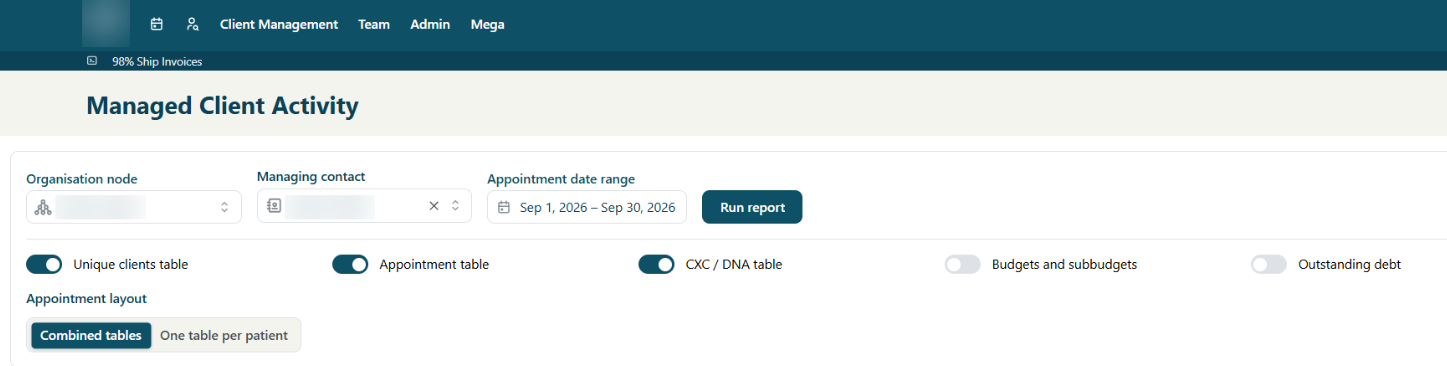
Click on Managed Clients on the Client Management dropdown menu. This will take you to the Managed Client Activity Report. Select the Organisation node, Managing contact and Appointment date range you want to report on.
2. Choose the report sections
Use the toggles to include or exclude Unique clients, Appointments, CXC / DNA (cancellations and non-attendance), Budgets and subbudgets, and Outstanding debt.
Leave the financial sections switched off when you only need an activity summary.
3. Choose the appointment layout
Select Combined tables to display appointment information together, or One table per patient to separate it by client.
This changes how the tables are organised.
4. Run and review
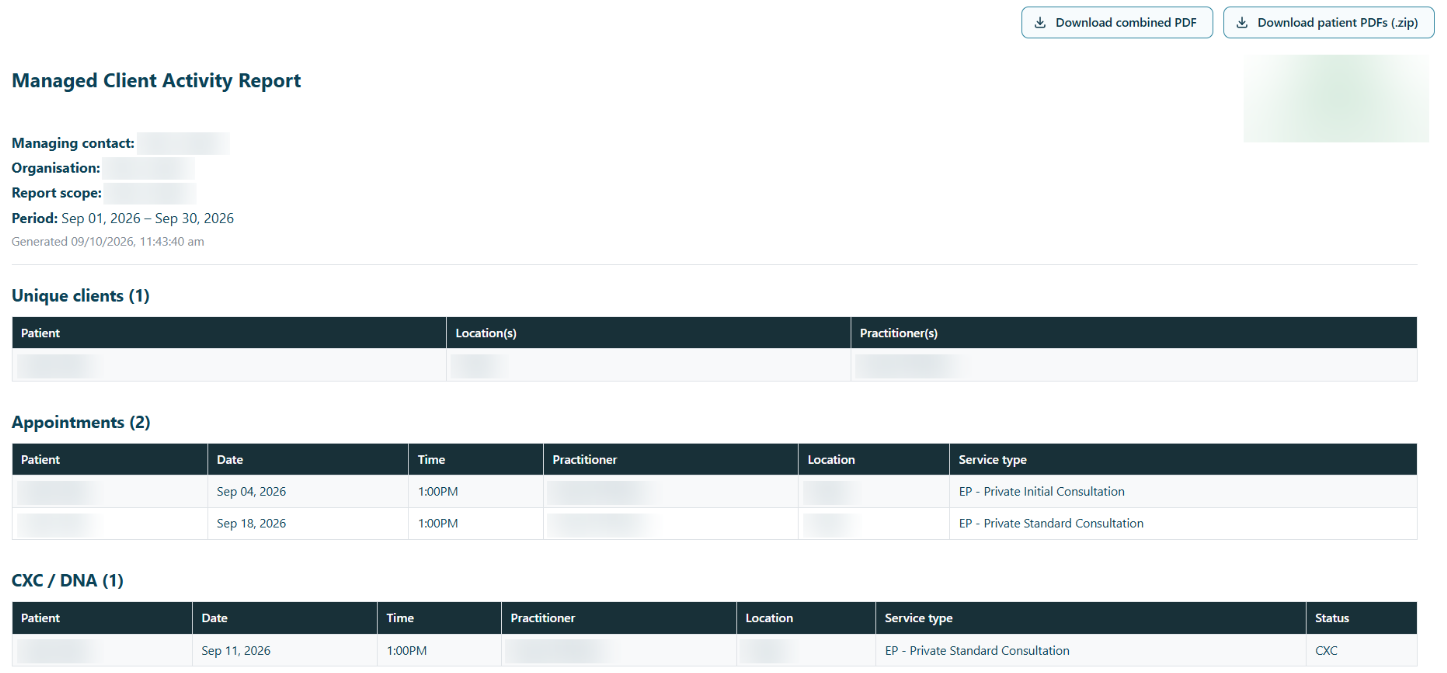
Select Run report, then check the report scope, dates, clients and included information before downloading.
5. Download and share
Choose your preferred format:
- Download combined PDF - one document containing the report for the selected scope.
- Download patient PDFs (.zip) - separate client PDFs packaged in a ZIP file. Extract the ZIP file to access each report.