
Mega Report Global Filters
Mega Report now supports Global Filters. This allows you to block certain items from appearing on Mega Report.
Currently supported items that can be blocked are:
- Products and Services
... yep, that's all for now, but we plan to add more items in future so please get in touch if there is something else you want excluded (IE: certain practitioners whitespace).
How to enable/disable global blocks on Mega Report
If your tenant has at least one item on the global filter list then you will see an additional filtering option in the top right Mega Report area. Clicking this will give you a list of all available exclusions which you can toggle on and off as needed. When an exclusion is enabled you will see a number to the top right of the filtering icon to let you know it's active.
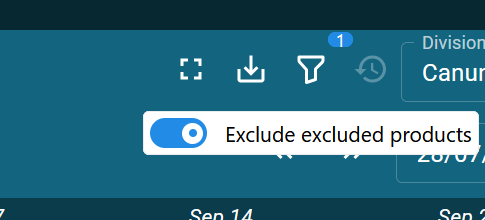
All Mega Report rows will now filter this data out.
Some Mega Report Rows can't do exclusions.
Some metrics are unable to filter the data due to the nature of how the data is caculated.
For example: excluding a service will make it not show in booked hours metric but currently isn't able to impact utilisation rate so it will pop up a warning to let you know.

How to add products/services to block list
Tenant Settings => Products & Services => (select a product) => Tick Excluded from Mega Report.